







Moto X3M: short tracks, a running clock and a bike that flips
Every Moto X3M level is a sprint from a start gate to a finish line, usually less than half a minute long, with the clock running the whole way. In between sit the things the series is known for: ramps that throw the bike high enough to flip twice, loops you take upside down, saw blades on arms, crates of TNT that go off when a wheel touches them, and wooden platforms that collapse a moment after you land. The level ends when you cross the finish; the stars depend on how long it took.
The trick that makes it more than a racing game is the air control. Leaning while the bike is off the ground rotates it, and every full rotation you land cleanly knocks time off your result. So a jump is never just a jump — it is a choice between a safe landing and a flip that might save half a second or might put the rider on his head. Crashes are cheap: Space puts you back on the last checkpoint flag. The clock, though, does not rewind.
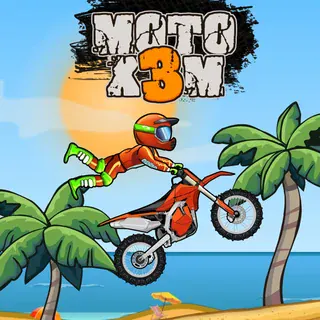
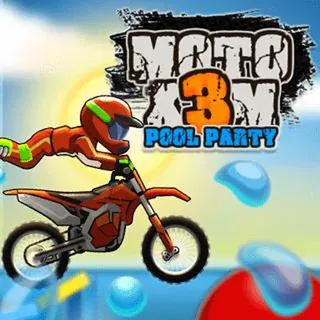
This first game has fifty tracks that move from a sunny beach through a desert canyon to a stone quarry, and eight bikes in a garage that you buy with the stars you earn. The sequels kept the same controls and changed the scenery and the traps: Moto X3M 2 added new courses, Winter covered everything in snow and ice, Pool Party moved it to water slides and inflatables, and Spooky Land filled it with pumpkins and graves. All of them are on this site.
Controls & mechanics
| Action | Control | Purpose |
|---|---|---|
| Throttle | Up arrow or W | All or nothing — the bike has one speed setting, so timing when you let go is the skill |
| Brake, then reverse | Down arrow or S | Stops the bike and then rolls it backwards, handy for lining up a ramp again |
| Lean back | Left arrow or A | Wheelie on the ground; in the air it rotates the bike backwards |
| Lean forward | Right arrow or D | Drops the nose for a landing; in the air it rotates the bike forwards |
| Start / respawn | Space | Begins the level, and after a crash puts you on the last checkpoint flag |
| Restart | R | Starts the level over with the clock back at zero |
| Pause | P or Esc | Pause menu; sound buttons sit in the top corner |
Getting better at Moto X3M
- Look at the finish screen before you retry: It shows the time for each star. Knowing you need to shave two seconds tells you whether one extra flip is enough or whether you need a cleaner line through the whole course.
- Flip only where the air is long: A rotation needs height. On a short hop a half-finished flip lands you on your head; on a big ramp you have time for one rotation and a straight landing. Pick the jumps where the arc is obviously long.
- Keep the throttle on as you touch down: The rear wheel grabs and carries your speed out of the landing. Letting go in the air and landing with no power costs more time than a skipped flip would have saved.
- Treat TNT as a wall: A crate goes off when a wheel touches it, so there is no brushing past. Either jump it completely or wait for the path to clear if it sits on a moving platform.
- Count the rhythm of moving traps: Saws on arms, swinging logs and crushers repeat on a fixed beat. Watch one cycle from a standstill, then go through at full speed on the next opening.
- Use R when the run is lost: Space brings you back but keeps the time you have lost. If you are chasing three stars and crash twice, a restart with R is quicker than finishing a slow run.
Key features
- All fifty tracks: The full build with every course file, from the beach tutorial to the last quarry level.
- Stars against the clock: One, two or three per level, set by how fast you reach the finish.
- Flips save time: Each rotation you land cleanly takes time off the result.
- Checkpoints: Crash, press Space, carry on from the last flag — the clock keeps running.
- The whole series here: Moto X3M 2, Winter, Pool Party and Spooky Land are on their own pages on this site.
- Keyboard only: Arrow keys or WASD, nothing to install, fine on a school Chromebook.
Game info
- Title: Moto X3M
- Developer: MadPuffers
- Category: Moto X3M Series
- Platform: Web browser (HTML5)
- Series: MadPuffers · Moto X3M (2015), 2, Winter, Pool Party, Spooky Land · HTML5 build served from motox3m.click
Pro tip: On any long jump, start the lean the moment the wheels leave the ramp, not halfway up the arc. The earlier the rotation starts, the more time you have to straighten out before the ground arrives.