Retro Highway — Play Free Online
More Bikes & Stunts games



Retro Highway puts you on a motorbike on an eighties-style motorway with one job: keep moving and do not hit anything. There are no ramps to land and no stunt tricks here. It is a traffic-dodging game, and the whole thing is about reading the lanes ahead and picking a gap before you reach it.
That makes it a different flavour from the rest of Moto X3M, where the fun is in timing jumps and flips across obstacle courses. Retro Highway is closer to an endless runner on two wheels: the road keeps coming, the cars keep getting in the way, and a run ends the moment you clip one. Sessions are short, which suits a quick break between longer Moto X3M levels.
It runs in the browser with nothing to install, and the controls are simple enough to pick up in the first few seconds.
How to play
Use the arrow keys or WASD. Up accelerates, down brakes, and left and right steer the bike sideways across the lanes. A round starts as soon as you begin riding, and it ends when you collide with traffic.
The rhythm of a run is simple: look ahead, choose the lane that is opening up, steer into it, and look ahead again. Small, early steering inputs work better than big corrections at the last moment.
Tips
- Watch the road well ahead of the bike, not the bike itself. By the time a car is close to your front wheel, it is usually too late to swerve.
- Tap the steering keys rather than holding them, so you slide over one lane at a time instead of overshooting into the next car.
- Use the brake to buy time when two lanes are blocked at once, then accelerate again as soon as a gap appears.
- Do not chase top speed all the time. A steady pace you can control lasts longer than a fast run that ends early.
Similar games on Moto X3M
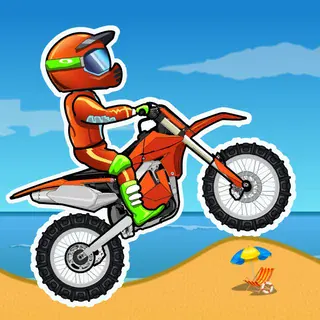
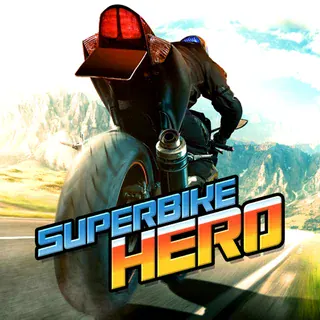
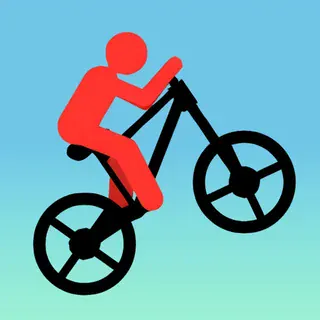
If you want the obstacle-course side of the site, Moto X3M and Moto X3M 2 are built around stunts and precise landings. Stickman Bike and Superbike Hero are other bike games in the line-up, while City Rider is worth a look if you enjoy the road-and-traffic setting in a different form.
Retro Highway suits anyone who wants a fast, low-commitment game on keyboard, and it is easy to restart after a crash and try for a longer run.
Questions about Retro Highway
What are the controls in Retro Highway?
Arrow keys or WASD: up to accelerate, down to brake, and left and right to steer across the lanes.
What ends a run?
Hitting traffic ends the run, so the aim is to keep weaving through gaps for as long as you can.
Is Retro Highway free to play?
Yes. It plays free in the browser on motox3m.click with no download or account.
Can I play on a phone or Chromebook?
It is an HTML5 game that runs in modern browsers, but the keyboard controls are easiest on a laptop or Chromebook.