Offroader V5 — Play Free Online
More Driving & Physics games






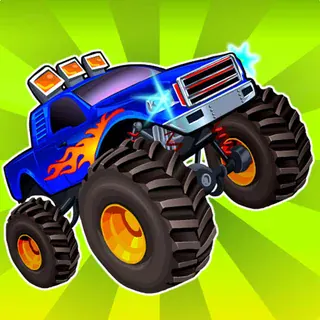
Offroader V5 puts you behind the wheel of several distinct vehicles across wide-open sandbox terrain. Unlike traditional arcade racers with strict lap counters and crowded starting grids, this title focuses on vehicular physics, suspension travel, and freeform exploration. Whether you want to test the torque of a lifted four-wheel-drive truck on steep rocky inclines or see how fast a low-slung sports coupe can launch off ramps, the playground is open from the moment the engine starts.
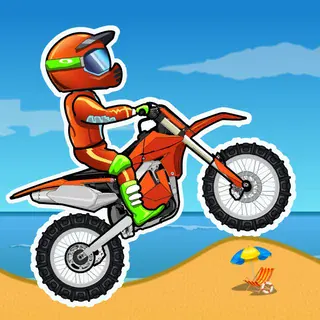
For players who enjoy the balance and momentum challenges of Moto X3M, Offroader V5 offers a complementary four-wheeled physics sandbox. Instead of navigating obstacle courses on a dirt bike, you manage body roll, tire traction, and weight transfer over uneven dirt mounds, paved straights, and massive stunt structures.
How to play
Driving in Offroader V5 is straightforward, but mastering vehicle weight takes practice:
- WASD or Arrow Keys: Steer left and right, apply throttle to accelerate, and reverse or brake.
- Spacebar: Pull the handbrake to break rear traction and initiate controlled drifts or quick rotations.
- C Key: Cycle through different camera perspectives, from exterior chase views to closer angles.
- R Key: Instantly repair damage and flip your vehicle right-side up if you roll over.
- T Key: Toggle slow motion to observe high-impact crashes and suspension compression in detail.
Select your vehicle from the garage menu and pick your starting map. When climbing steep rock formations, feather your throttle to maintain tire grip rather than holding down full acceleration. If you enter a turn with too much speed, tap the brakes early or use a quick pulse of the handbrake to swing the rear without rolling over.
Driving and physics tips
Getting the most out of your run requires understanding how each chassis responds to rough ground:
- Match the vehicle to the terrain: Sports cars excel on smooth tarmac and flat stunt ramps, but they will easily bottom out and lose control on rocky trails. Switch to a 4x4 offroader or truck when navigating hills.
- Feather the accelerator on steep inclines: Flooring the gas pedal on loose surfaces causes the drive wheels to spin without gaining traction. Gentle, rhythmic inputs help your tires bite into the dirt.
- Use the handbrake to initiate turns: Heavy trucks suffer from understeer at speed. A brief tap on the spacebar breaks the back wheels loose, aligning your nose in the desired direction.
- Take advantage of instant reset: If you high-center your vehicle on a boulder or total the chassis on a jump landing, pressing R instantly restores your car so you never lose driving momentum.
Similar games on Moto X3M
If you enjoy the physics-driven vehicle control in Offroader V5, check out the other driving and stunt games available on the site. Players looking for urban drifting and street environments will enjoy City Rider and Madalin Stunt Cars 3, both of which feature deep car rosters and expansive stunt arenas. If you prefer high-speed motorcycle runs with traffic weaving, Retro Highway and Superbike Hero deliver fast-paced two-wheeled action.
Offroader V5 runs entirely within your browser window, making it ideal for quick driving sessions on a keyboard without any setup or waiting time.
Questions about Offroader V5
What are the controls for driving in Offroader V5?
Use the WASD keys or the arrow keys to steer, accelerate, and brake. Press the Spacebar to engage the handbrake for tight turns, and use R to repair or reset your vehicle after a crash.
Can you switch vehicles during a session in Offroader V5?
Yes, Offroader V5 lets you select and switch between multiple vehicles on the fly, including heavy off-road trucks, sports cars, and utility rigs, directly from the in-game menu.
Do you need to install anything to play Offroader V5?
No, the game runs directly in any modern desktop or laptop web browser using WebGL, with no files to download or accounts to create.